

Set up a repeating schedule
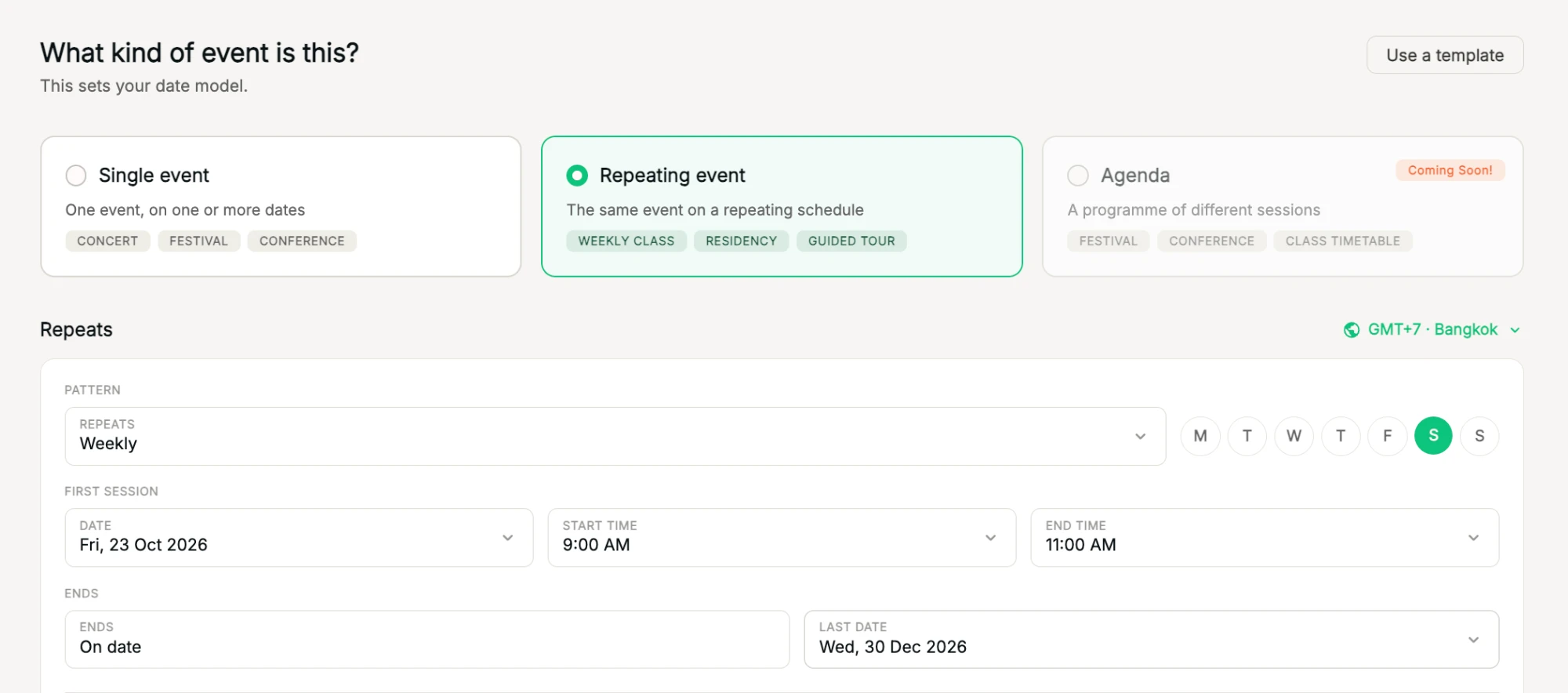
Choose Repeating event to create every date of a weekly class or residency in one go. Every date gets the same ticket types, each with its own inventory.
Where to find it: Step 1 → Repeating event → Pattern, First session, Ends
How to do it
- In Type & schedule, choose Repeating event.
- Under Pattern, choose how often it Repeats, for example Weekly, and pick the days.
- Under First session, set the date, start time and end time.
- Under Ends, choose On date and set the Last date.
- Check the calendar preview. Your dates appear in the list below, where you can add, edit or remove individual dates.
If a ticket has a capacity of 20, each date gets 20.
Tip: one date needs a different price or capacity? See Change price or capacity for one date.
Related
Add, edit or remove individual datesChange the time of one date or skip it, without touching the rest.Change price or capacity for one dateOn repeating events, make one date different without touching the others.Single, repeating or agenda: which event type?Pick the format that fits: one event, a repeating schedule, or a programme of sessions.