

Group your tickets
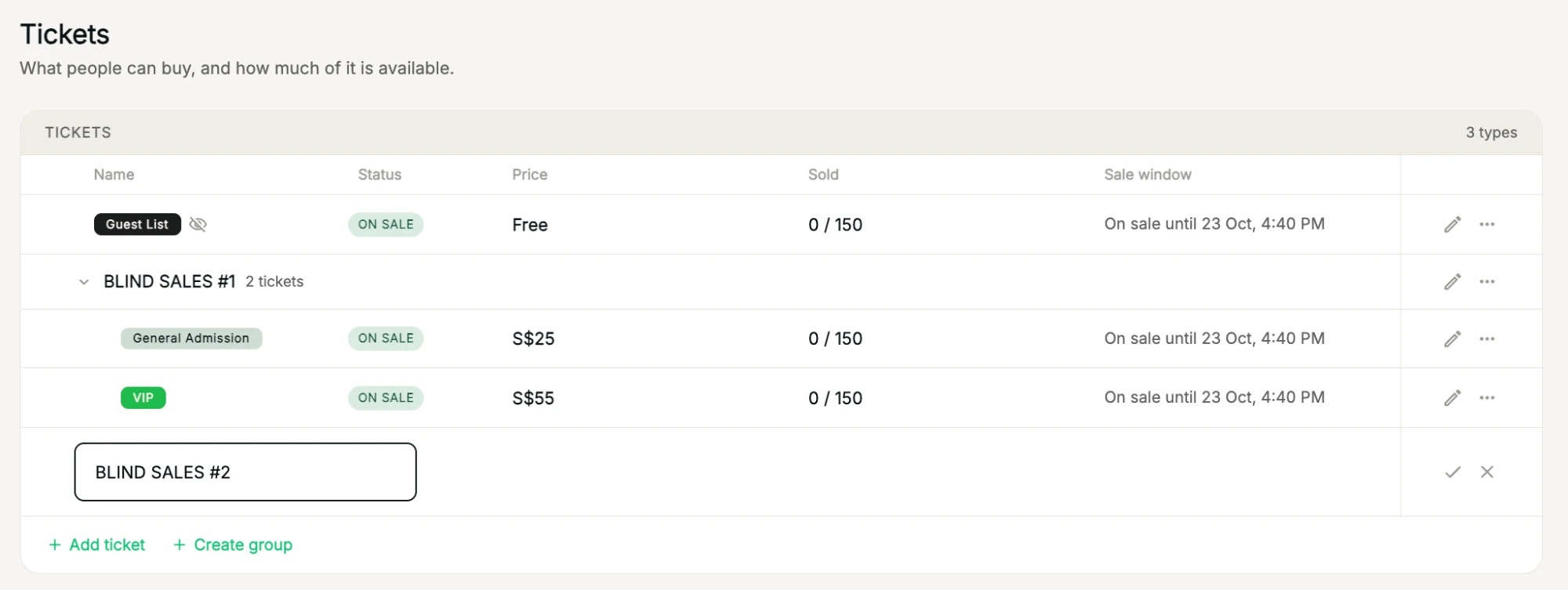
Group tickets under one name, for example a release or a sales phase. Each group lists its tickets together, so a long ticket list stays easy to manage.
Where to find it: Step 3 → Tickets → + Create group
How to do it
- In the Tickets step, click + Create group below your tickets.
- Type the group's name, for example Blind sales #1, and click the tick.
- Drag and drop tickets into the group.
- Click the arrow next to a group to fold or unfold its tickets. Use the pencil to rename it, or ⋮ for more options.
Tables can be grouped the same way, with + Create group below your tables.
Tip: to copy a ticket inside a group, see Duplicate or archive a ticket.