

Add music, video and social embeds to your description
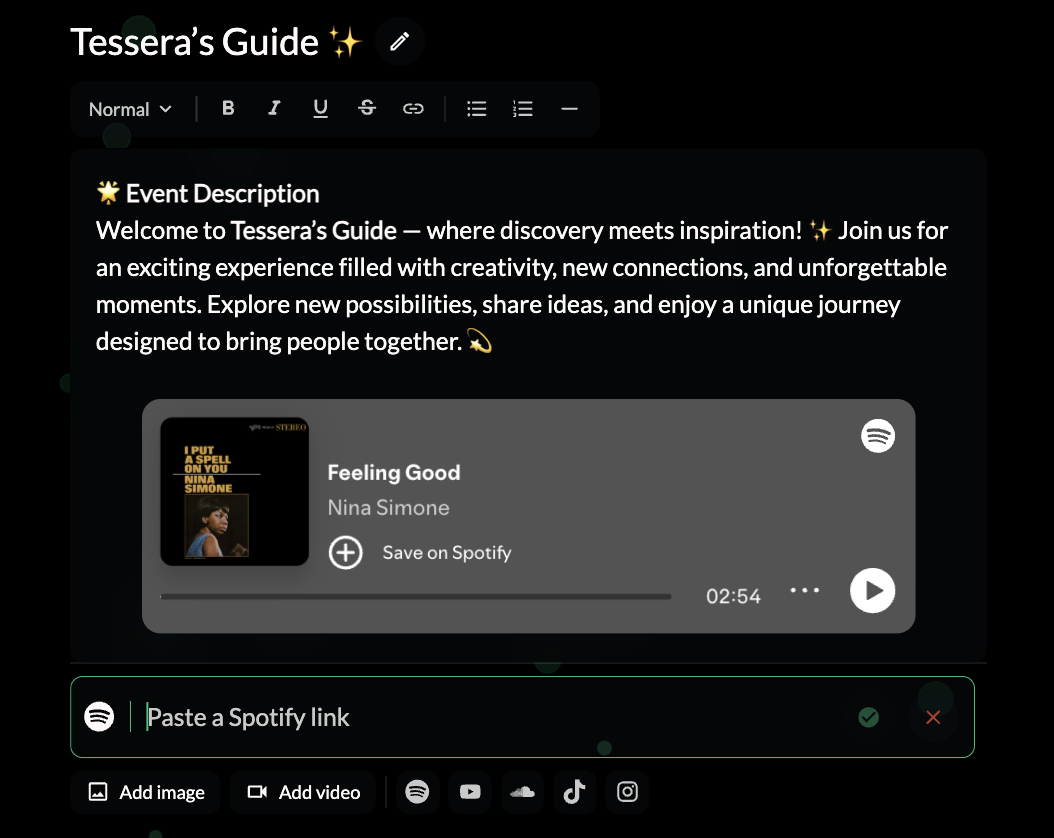
About the event and Highlights use a rich text editor. Besides text, you can add images, videos and embeds from Spotify, YouTube, SoundCloud, TikTok and Instagram.
Where to find it: Step 2 → About the event / Highlights
How to do it
- In the Event page step, click into About the event or Highlights.
- Write and format your text.
- Below the text, click the icon you want: Spotify, YouTube, SoundCloud, TikTok or Instagram.
- Paste the link to the track, video or post, then click the tick. The player appears in your description.
- To upload your own media, use Add image or Add video.
- Check the result with the Desktop / Mobile toggle.
Tip: see how the whole page comes together in Edit your event page and preview it.